 Sales: 1-800-266-0219


Legacy Broadly App Customers: You’re Being Upgraded and Migrated to Broadly Engage
Broadly Engage is officially here, marking a major leap forward from our legacy platform.
If you’re currently using the Broadly mobile app (sometimes called Broadly 1.0), this update is for you.
Beginning March 2026, Broadly will be upgrading legacy Broadly app customers to Broadly Engage, a powerful new Broadly experience available in a brand-new mobile app. Broadly Engage brings everything you do to grow your business into one place: messages, reviews, leads, reporting, and AI-powered tools.
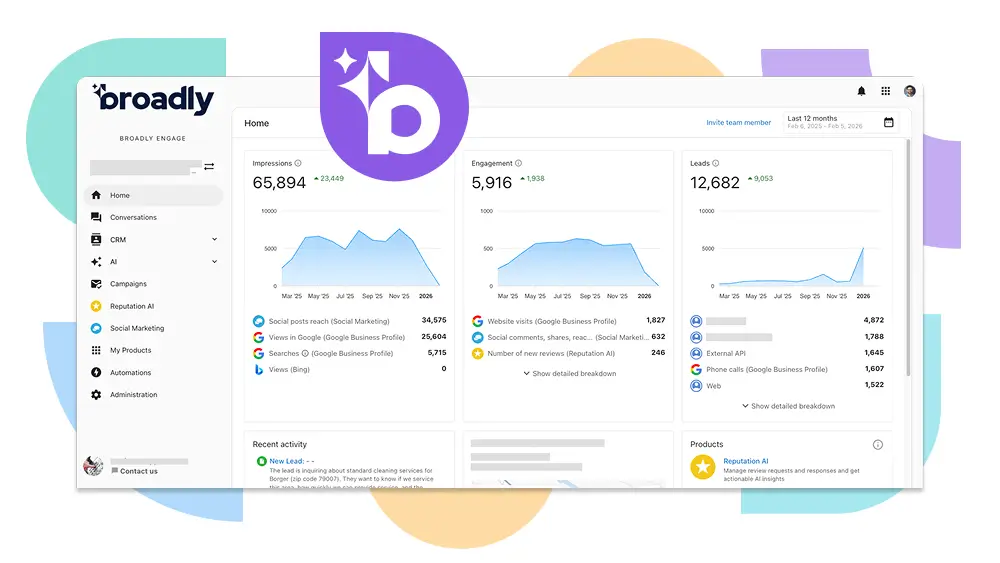
If you’re already using Broadly Engage today alongside the original Broadly 1.0 app, you’ll also be asked to move fully to the new Broadly Engage app.
And the best part?
Legacy Broadly app customers keep their current plan and price, and gain access to Broadly Engage as part of the upgrade. The legacy Broadly app will be fully retired on April 30, 2026, and all legacy Broadly app customers will be using Broadly Engage by then.
This article explains exactly what’s changing, how the upgrade works, what you need to do, and how to get the most out of Broadly Engage.
What is Broadly Engage?
Broadly Engage is the modern Broadly experience: a faster, smarter customer acquisition and engagement platform designed to help you respond faster, capture more leads, and understand what’s working in your business.
For legacy Broadly app customers, Broadly Engage is a major upgrade that brings together:
- A unified inbox for messages and leads (now known as “Conversations”)
- AI Web Chat that works 24/7 to capture and qualify leads
- Missed call SMS text back to engage customers you can’t get to
- Email and SMS campaigns that can automate lead nurturing
- Smarter review management and analytics, including AI-assisted replies
- Local SEO reporting, powered by connected data
- A modern mobile experience via the Broadly Engage app
- One login for everything
What’s Staying the Same?
If you’re a legacy Broadly app customer, you’ll keep the core Broadly foundation you know and love, including:
- Review request automation and workflows
- Messaging and customer communication tools
- Your existing plan and billing (no pricing changes during the upgrade period)
What’s Changing for Legacy Broadly App Customers?
After your upgrade and migration:
- Broadly Engage becomes your primary place to manage reviews, messages, leads, and performance.
- You’ll have access to new AI-powered features and a unified inbox.
- The legacy Broadly app will be retired on April 30, 2026.
Key Dates: When Will This Happen?
Your Upgrade Date (Scheduled for Your Account)
- Your Broadly Engage account is created automatically.
- Your data and users are migrated.
- You’ll receive a welcome email with login instructions.
Final Retirement Date
April 30, 2026
After April 30, 2026:
- The legacy Broadly app will no longer be available
- All legacy Broadly app customers must be using Broadly Engage
How the Upgrade Works (and Why it’s Easy)
We’ve designed this upgrade to be smooth and low-effort for customers on the legacy Broadly app.
Step 1: Automated Upgrade & Migration (No Action Needed)
We will email you ahead of time about your migration date. On your scheduled upgrade date, Broadly runs an automated upgrade behind the scenes. This automation:
- Creates your Broadly Engage account
- Moves your users and access
- Brings over your contacts and history
- Migrates supported integrations
- Switches your website chat to the new AI-powered experience automatically
- Pre-configures AI Web Chat and review workflows
There is no downtime and no need to update your website code for chat.
Step 2: New Login
Once the upgrade/migration completes, you’ll receive a welcome email to:
- Reset your password
- Log into Broadly Engage
- Start using the new experience
What You Need to do After You Log In
Broadly Engage will be ready to go right away. To get the most value from your upgrade, we recommend a few simple steps:
1) Download the Broadly Engage Mobile App (Recommended)
The mobile app makes it easy to stay responsive and never miss a lead.
Why this matters
- Get notified instantly about new messages, leads, and reviews
- Respond to customers on the go
- Stay on top of AI-captured conversations
What to do
- Download Broadly Engage from the App Store or Google Play
- Log in and set your password with Broadly Engage. If you’ve already set up Broadly Engage in a web browser, remember to use your new username and password. This might be different from what you had with Broadly 1.0.
2) Connect Google Business Profile + Facebook (Required)
Connecting these accounts unlocks the full value of Broadly Engage, including:
- Responding to reviews
- AI-generated review responses
- Local SEO reporting and performance insights
What happens if you don’t connect right away
Your account will still work, but you won’t be able to:
- Respond to reviews
- See full Local SEO insights
- Use AI Reputation tools
What to do
Go to Administration → Connections and connect:
- Google Business Profile
- Facebook (and Instagram if applicable)
Tip: Connecting Google is the single most impactful step for review and Local SEO performance.
3) Re-Install the Review Display Widget (Optional)
If you show customer reviews on your website using the legacy Broadly app, you’ll need to generate a new widget from Broadly Engage.
Why this is needed
Review display widgets from the legacy Broadly app do not automatically carry over. The new widget supports improved styling and updated review sources.
What to do
- Log into Broadly Engage
- Go to Reputation AI
- Generate a new Review Display Widget
- Install the new widget code on your website
If Broadly manages your website, our team can help with this.
For Neighborly Franchise Owners: Navigating Your Data
Once your account has been migrated, you can find your historical and current business data within the Broadly Engage dashboard.
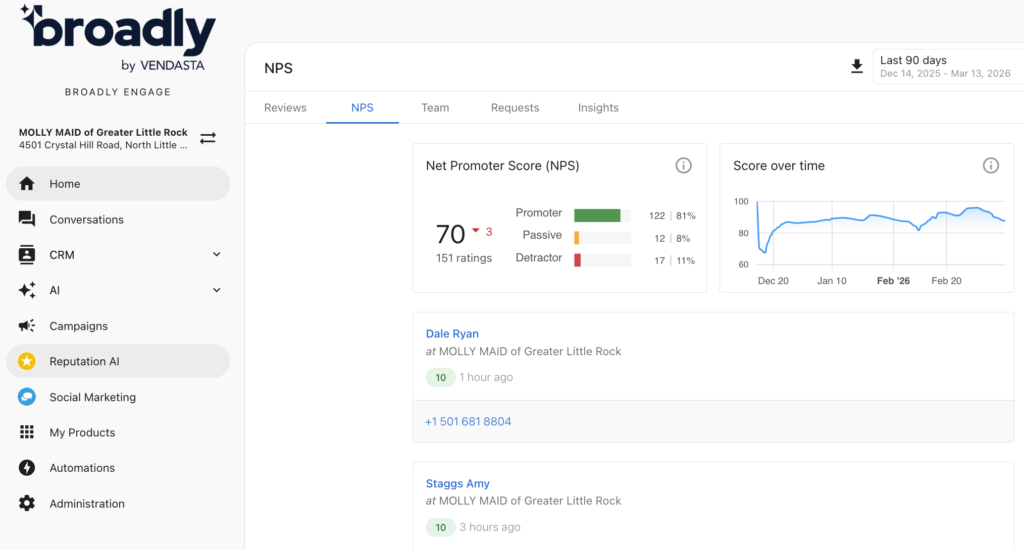
Where to find NPS data
- Open Broadly Engage (neighborly.broadly.com)
- Click on Reputation AI and select the NPS tab.
To manually send a review request:
For an existing contact:
- Find the contact in the Broadly CRM
- Check the box next to the customer’s name
- Click “Actions” and select “Request Reviews”
For a new contact:
- Create the contact in the Broadly CRM
- Follow the steps above to send the review request
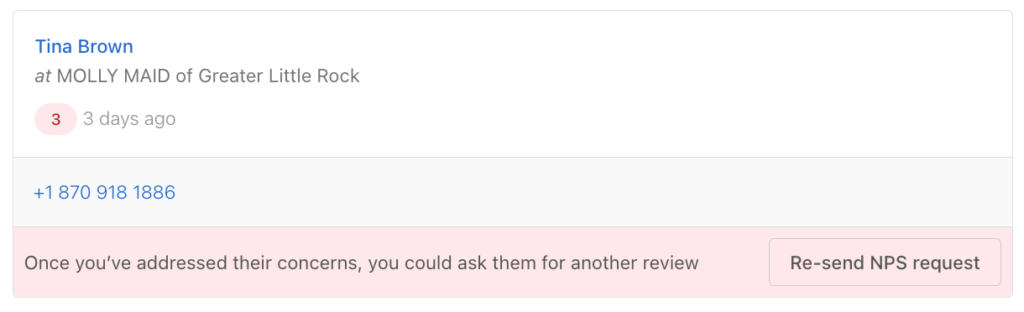
How to re-survey Detractors after you’ve addressed their concerns
- Open Broadly Engage (neighborly.broadly.com)
- Click on Reputation AI and select the NPS tab.
- Find the Detractor and click the ‘Re-send NPS request’ button
Where to find Conversations history
- Open Broadly Engage (neighborly.broadly.com)
- Click on Conversations to view both new and historical customer interactions in the Inbox.
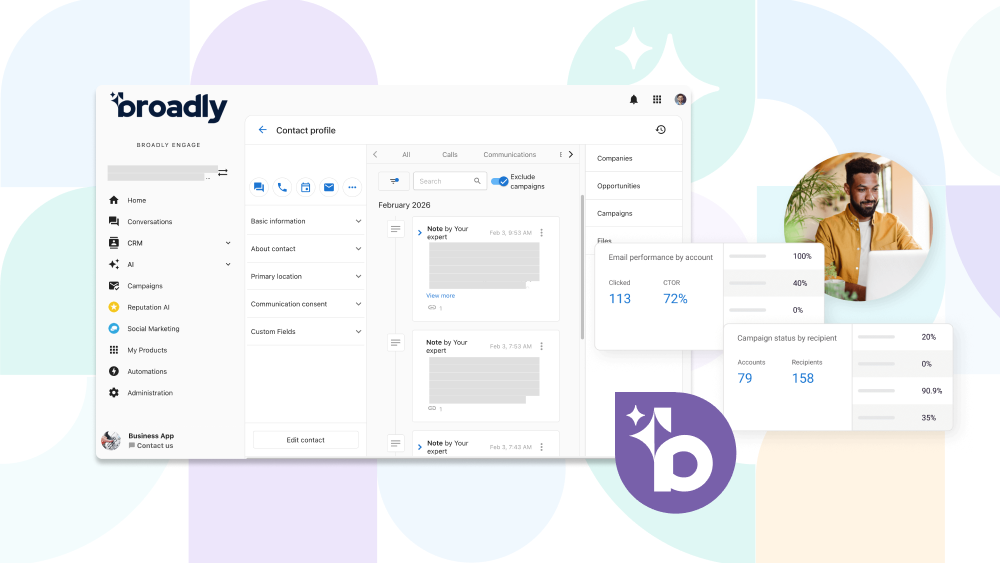
- To see full contact details and history: Click on CRM → Contacts → Search and select the specific contact’s name.
What Will Feel Different Day-to-Day?
Most legacy Broadly app customers naturally move into Broadly Engage because value shows up immediately in a few key moments.
These aren’t disruptions. They’re intentional upgrade points designed to make Broadly better.
1: AI Responses & Knowledge Transparency
When AI responds (in chat or reviews), you can see:
- Why it answered the way it did
- What information it used (Google Business Profile, website content, FAQs, policies)
- Any workflows or tools it triggered
Why this matters
- Builds trust in AI decisions
- Gives you control and confidence
- Makes it easy to improve responses by updating your knowledge
2: Responding to Reviews (Now AI-Powered)
In Broadly Engage:
- Reviews flow in automatically
- You can respond manually
- Or let AI generate responses
- Or set rules for which reviews AI responds to
If you attempt to respond to a review, you’ll be prompted to log into Broadly Engage because review management lives entirely in the new platform.
Why this matters
- Faster responses
- Consistent brand tone
- Less manual work
- Better insight into customer feedback
3: Conversations & New Leads
Once your legacy Broadly account is upgraded:
- New website chats
- New SMS messages
- New social messages
- New AI-captured leads
All appear in the Conversations inbox inside Broadly Engage.
This is where your team will manage communication moving forward.
Why this matters
- Faster response times
- No missed leads
- One inbox instead of multiple tools
Important Change for Legacy Broadly App Customers: Web Chat Upgrades Automatically
Good news: you don’t need to change your website code.
If you’re a legacy Broadly app customer who uses web chat, your website chat automatically switches from Broadly chat to the new AI Web Chat in Broadly Engage.
- No reinstall required
- No widget replacement
- No webmaster coordination needed
Our team updates the script behind the scenes so your chat keeps working, only smarter.
Ready to Get Started?
If you’re currently using the legacy Broadly app, your upgraded Broadly experience is almost here.
When you receive your welcome email:
- Reset your password
- Log in
- Connect Google
- Download the Broadly Engage mobile app
If you need any help at all, don’t hesitate to reach out to support@broadly.com.
Welcome to Broadly Engage!
Broadly Engage Upgrade FAQs
1. Is this upgrade for everyone?
Yes. This upgrade and migration applies to customers currently using the legacy Broadly platform.
2. Will my Broadly plan or price change?
No. Legacy Broadly app customers keep their current plan and price during the upgrade period.
3. Do I need to reinstall website chat?
No. Website chat upgrades automatically to AI Web Chat. No code changes required.
4. Will my contacts and history move over?
Yes. Contacts and history migrate as part of the automated upgrade.
5. What do I need to do to get started?
Once you receive your welcome email:
- Reset your password
- Log into Broadly Engage
- Connect Google Business Profile
- Download the mobile app (recommended)
6. What happens if I don’t log in right away?
Broadly Engage will still be ready for you, and the legacy Broadly app will remain available during the transition period. But the legacy Broadly app will be fully retired on April 30, 2026, so we recommend logging in as soon as you receive your upgrade email.